


Ie, see this search. It looks uuuuuuugly... can I do anything about it?
-
-
How have you configured your images/thumbnails at the moment?
The image URL must have been specified either via a ZOOMIMAGE tag (which is not the case here) or an image/thumbnail setting for the file extension? At the moment, the result for this page:
http://www.modahaus.com/product-photography-lighting-guide/
Is somehow expecting an image at:
http://extreme-macro.co.uk/search/Modahaus
So I presume this is your setting.
Besides fixing this configuration, there is an option under "Configure"->"Spider options"->"Check thumbnails exists on website before using URL". When enabled, this will prevent such broken image links by testing that they exist first. But this can increase indexing time, and it is best to configure your image settings to point to look for the correct image (or not look for one at all if none exist). -
Hello Ray, thank you
I have a ZOOMIMAGE tag inside each page on my site, page specific in the meta only. So it shows images for searches of my site... but it also seems to show (broken) images for a few external pages that are followed and indexed (as specified). I thought that was correct? The overwhelming externals don't show this broken link but a few do -- what dictates this?
Regarding "Configure"->"Spider options"->"Check thumbnails exists on website before using URL". - does this just prevent a broken image (which is good) or does this stop the followed link being added into the search (bad, I still want the info, the thumbnail is secondary but I'd rather not have a broken one). Ie what would be nice is as well as 'don't index url if no image', a setting like 'still index url but don't show broken image'. Hope this makes some sort of sense thanksComment
-
ok, tried re-indexing with that 'check thumbnails exist' option but it's made no difference. These are all external sites, shouldn't they all show a broken image?
Thank you
(this is search, but putting up screengrab in case a reindexing changes the output)
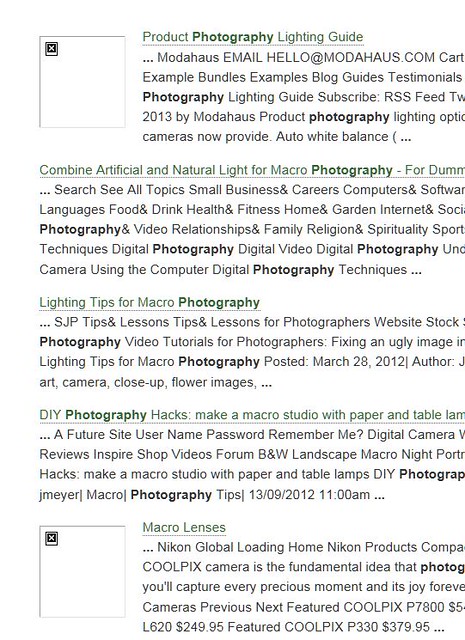
Comment
-
Yes, that's what it should do.Originally posted by johan View Post
No it does not stop the page from being indexed or being searched.Originally posted by johan View Post
But these external pages would not have ZOOMIMAGE meta tags? So there must be some other setting that asks Zoom to associate an image with it. Otherwise something's wrong.Originally posted by johan View Post
Can you e-mail us your configuration file and we can take a closer look?Comment
-
ok, willdo when I get home - I think you mean the software config file? which filename? thx!Comment
-
Ray, apologies, but could you talk me through this or point me to a link that does? I have the spider indexing all and following from the root and the only link to anything modahaus is:Originally posted by Ray View Post
at http://extreme-macro.co.uk/barn-doors/. I'm not really getting why it is expecting anything at http://extreme-macro.co.uk/search/Modahaus (which doesn't exist). Thanks!Code:<li class="ext"><a href="http://www.modahaus.com/product-photography-lighting-guide/">Product photography lighting options</a></li>
Comment
-
It is most likely due to your thumbnails settings. I haven't been able to check this since the config file you sent us was not the right file. Check your e-mail and we'll go from there.Comment
-
Hm, I've tried to do as instructed but I can't actually see all the information in V7 on the log tab, some of the checkboxes to show info are disabled (including I think the one that'd show which config file in use). Have replied asking for clarification - maybe it's a V7 beta thingComment
Comment